Modules
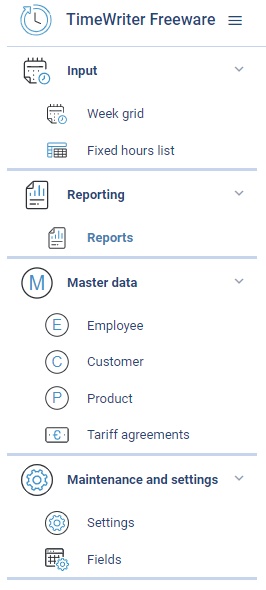
After starting TimeWriter opens with the Module explorer on the left hand side. A module will appear by clicking on its name/title.
The last chosen module is automatically selected after logging in to TimeWriter again.
In this chapter
- InputHours can be entered in 3 different ways: via the Week grid, via the Week list and via the Fixed hours list.
- ReportingWith the reporting module you can create reports for the booked hours and master data.
- Master dataThe following master data is included in TimeWriter Freeware: Employee, Customer, Product and Tariff agreements.
- Maintenance and settingsThis chapter describes general settings. Go to Maintenance and settings in the Module explorer.