Selection filters
The following selection options are available:
- Period
- Rendering
- Extra selection filter
- Runtime filter
- Output documents
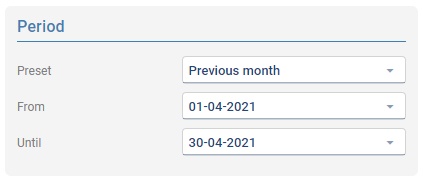
Period
Select the reporting period based on a pre-set or a random time period using the From and Until fields.
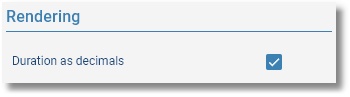
Rendering
Specify here whether the duration should be displayed as decimals.
N.B. This option is not available when the report uses Advanced or Scripting options.
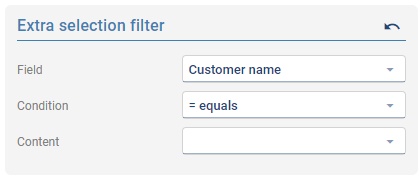
Extra selection filter
The content of reports can be limited by using an Extra selection filter. This can limit the report to only one customer for instance.
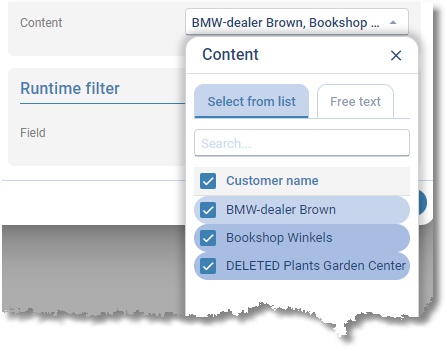
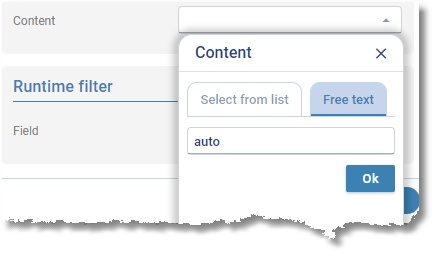
The Content field can be populated by using the following dialogue.
Select the Select from list tab to select items from a list with available values.
Choose the Free text tab to manually type in (part of) the Customer name.
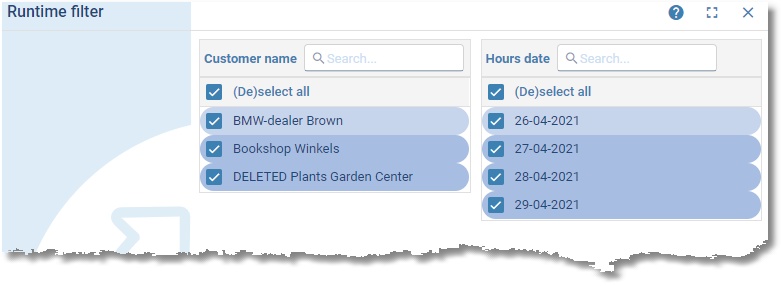
Runtime filter
The Runtime filter shows available values for the filter-selected fields and offers the opportunity to apply any filter combination.