Tasks
In this module you can manage task groups and add or edit tasks.
Depending on their roles logged in employees can:
Every employee can:
- See and edit tasks where he/she is authorized for.
- Close tasks.
An administrator can also:
- Create, edit and delete task groups and tasks.
- Authorize employees.
- Setup tasks for invoicing.
Task and Task groups are the default names. If preferred they can be given a more suitable new name, corresponding with the terminology used within your organisation. See Maintenance and settings | Fields. In this manual Tasks and Task groups will be used.
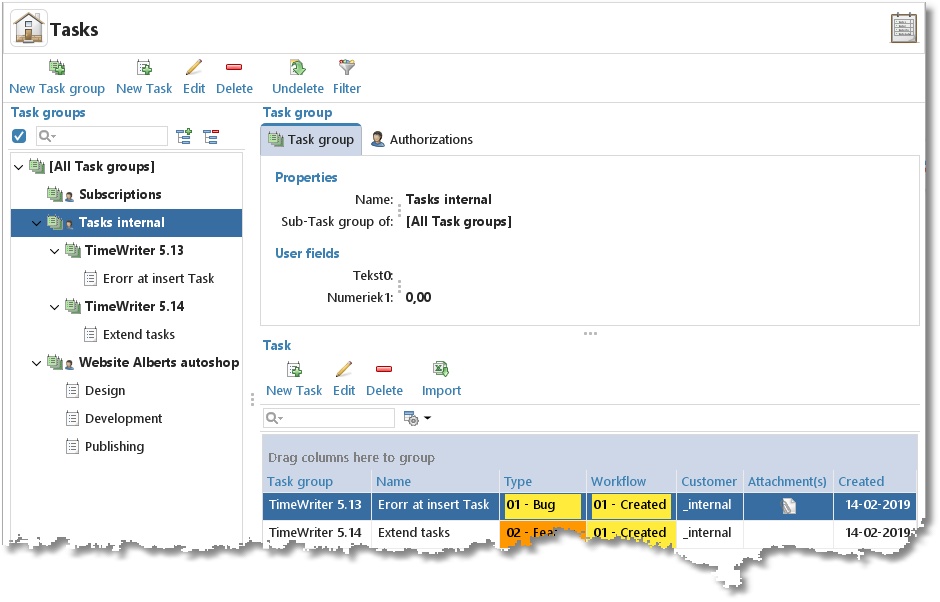
On the left side is a list of Task groups (bold) with the attached tasks (not bold and optional). On the right side are the properties of the selected task (group).